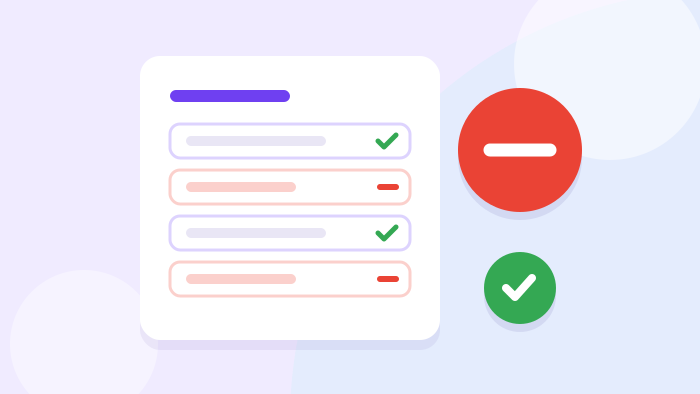
Illustration: negative keywords in Google Ads filter out irrelevant queries
Google Ads Advertising Setup

Google Ads Negative Keywords

We block queries your ads should not show for: informational searches, “free”, job hunting, other services and random phrases. We gather negative keywords into a shared list for the whole account, so new campaigns are protected at once. The budget stops going on clicks with no chance of an enquiry, and the cost per enquiry drops.

What negative keyword setup includes

Even precise keywords catch unwanted queries: people look for instructions, jobs, free options or a different service altogether. Negative keywords close these impressions. We collect them from real queries, keep them as one list and add to it regularly. Click an item to read more.

Query analysis

We look at the phrases people actually see and click your ads for
  • Search terms report

    Google shows exactly which phrases people typed before clicking. Queries that have nothing to do with your service stand out at once.

  • Starter list

    Even before launch we add typical negatives: “free”, “DIY”, “jobs”, “download”. This protects the budget from day one.

  • Competitor queries

    If you do not want to show for other brands’ names or services you do not offer, we block those too.

Result: you can see where the budget goes.

Shared list

Negative keywords sit in one list and protect every campaign in the account
  • An account-wide list

    We create a shared negative keyword list and attach it to all campaigns. A new campaign is protected straight away, with no manual copying.

  • Lists by topic

    We keep separate lists for “jobs”, “free”, “training” and “locations”. They are easy to attach and review.

  • No conflicts

    We check that a negative keyword does not block your own key phrases. Otherwise ads silently stop showing for the queries you need.

Result: one rule for all campaigns.

Regular cleaning

The search terms report changes weekly, and the negative list grows with it
  • First weeks

    After launch we review the search terms report every week. This is when most unwanted phrases turn up.

  • Then monthly

    Once the campaign is stable, a monthly check is enough. New unwanted queries still appear, just less often.

  • Broad match

    If the campaign runs on broad match, cleaning matters even more. Without it, Google stretches impressions to ever more distant phrases.

Result: the campaign does not sprawl over time.

Negative keywords per campaign or as a shared list

Negative keywords can be added to each campaign separately or kept in a shared list. The difference shows once you have more than one campaign.

In each campaignShared account list
A new campaignUnprotected until you copy the wordsProtected as soon as the list is attached
UpdatingEvery campaign has to be editedOne edit applies everywhere
ControlEasy to forget and missThe whole list in one place
When it fitsThe word only hurts one campaignThe word is wrong for the whole business

When negative keyword setup is needed

Negative keywords are always needed, but in some situations their absence is especially costly. These are the most common.

Lots of clicks, no enquiries

If ads bring people in but they do not call, the first thing we check is the search terms report. Most often it contains phrases that should never have shown your ads.

We block unwanted queries with negative keywords and watch how the cost per enquiry changes. The effect is usually visible within a week.

What we find most often

  • “DIY” and “how to make”
  • “free” and “download”
  • “jobs” and “vacancies”
  • Other services with similar words

A broad match campaign

Broad match gives reach, but Google also uses it to show ads for queries far from your meaning. Without negative keywords it quickly turns into advertising “about everything”.

Regular cleaning keeps broad match in check: reach remains, and clearly unwanted directions are closed.

How we keep it under control

  • Weekly search terms report
  • A shared negative keyword list
  • A conversion strategy
  • Lead tracking for conclusions

The account has many campaigns

When negative keywords are scattered across campaigns, some are protected and some are not. A new campaign is often launched without them at all.

We gather negative keywords into shared lists and attach them to every campaign. From then on, any edit applies everywhere at once.

What we do

  • Collect words from all campaigns
  • Split lists by topic
  • Attach them to every campaign
  • Remove duplicates and conflicts

Campaigns compete with each other

If two campaigns show for the same query, they split the budget and get in each other’s way. In the report it looks like unexplained jumps in cost per click.

Negative keywords at campaign and group level separate the queries: each query shows one, the most suitable ad.

Signs

  • One query in several groups
  • Jumps in cost per click
  • An ad that does not match the query
  • Different pages for the same phrase

The account was run before us

In long-running accounts negative keywords are often either missing or piled up chaotically. Sometimes the opposite happens: an old negative blocks an important query.

We check all lists, find conflicts with keywords and put things in order. What remains is a clear system that is easy to maintain.

What we check

  • Whether there is a shared list
  • Conflicts with keywords
  • Outdated negative keywords
  • Queries without a single enquiry

How we set up negative keywords

Six steps: from a starter list to regular cleaning that keeps campaigns in check.

01

Starter list

We add typical unwanted words for your niche before launch.

02

Shared lists

We create topic lists and attach them to all campaigns.

03

Search terms

We look at which phrases people actually clicked on.

04

Adding negatives

We move unwanted phrases into lists with the right match type.

05

Conflict check

We make sure negatives do not block your key phrases.

06

Regularity

Weekly in the first weeks, then once a month.

Who it is for

Negative keywords pay off everywhere, but fastest where a service has many “neighbouring” queries. Most often we work with:
Those whose ads have “burned” the budget — we find queries without enquiries and block them
Companies on broad match — we keep reach within the bounds of your service
Accounts with many campaigns — one shared list protects them all
New companies — a starter list protects the budget from day one
Niches with “free” queries — we cut out those looking for freebies or DIY
Companies that are hiring — we do not pay for clicks on job queries

What you get

You get an account where ads do not show for informational, free or unrelated queries. Negative keywords are gathered into shared lists, so any new campaign is protected at once, and an edit in one place applies everywhere. Regular cleaning keeps campaigns from sprawling, and the budget stays with people who can become customers.

What to know before you start

A negative keyword that is too broad can block a needed query, so we check each one for conflicts with key phrases
The advertising budget is paid to Google separately and is not included in the setup price
A negative keyword list is never finished: new unwanted queries appear all the time

Let’s stop clicks that bring no enquiries

Negative keyword setup is included in campaign setup and launch and is done together with keyword research. The consultation is free: we can start by checking the search terms report in your account.

All Google Ads services

Frequently asked questions about negative keywords

Included in campaign setup and launch
25–185 €