Images for Google Ads
What image preparation includes
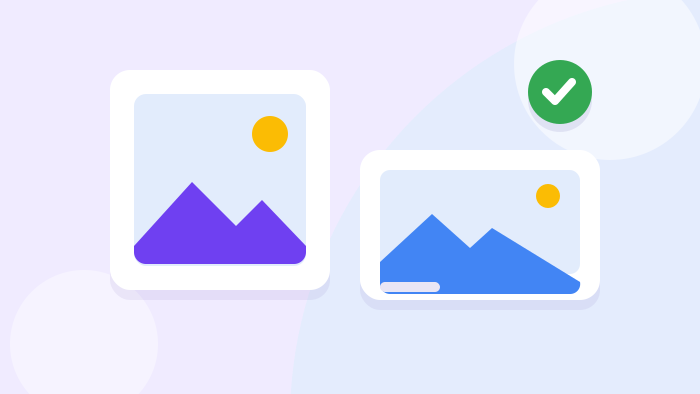
Two formats
- Square 1:1
The main format for search on phones: 1200 × 1200 pixels, at least 300 × 300. It looks good next to a short ad.
- Landscape 1.91:1
The 1200 × 628 pixel format, at least 600 × 314. It is used in placements where the image is wider.
- Several variants
We prepare several images for each group. Google picks which one to show, and we see which works better.
Result: an image for every placement.
Google’s rules
- No text or buttons
Google rejects images with overlaid text, logos on top of the picture and drawn buttons. We prepare clean images.
- Quality
We do not use blurry, dark, upside-down or cropped photos, collages or large empty margins. All of these are also reasons for rejection.
- Image rights
We use your photos, licensed images or illustrations you have the rights to. We do not take other people’s pictures from the internet.
Result: images do not get stuck in review.
Preparation
- Your photos
Real photos work best: the team, the site, the finished work. We select suitable ones and adapt them to the format.
- Illustrations
If there are no photos, we prepare illustrations in the style of your site. They show the service clearly and do not look like stock pictures.
- For each group
The image should match the query: an ad about kitchen renovation shows a kitchen, not a generic logo.
Result: the image matches the query.
Square or landscape: why you need both formats
Google shows images in different places and on different screens. One format does not fit every case, so you need both.
| Landscape 1.91:1 | Square 1:1 | |
|---|---|---|
| Recommended size | 1200 × 628 pixels | 1200 × 1200 pixels |
| Minimum size | 600 × 314 pixels | 300 × 300 pixels |
| Where it shows more often | Wider placements | Search on phones next to the text |
| What matters | The key subject in the centre | The subject large, without small details |
When ads need images
Search shows many similar ads
When several text ads stand in a row, people compare them in a second. An image catches the eye before the text is read.
An image of your work or premises makes the ad stand out and shows at once what you do. This raises the click-through rate without raising the bid.
What you gain
- An ad more visible than its neighbours
- A higher click-through rate
- A clearer idea of what you do
- No bid increase
Your results are easy to see
Renovation, furniture, landscaping, dentistry, nail services: in these niches it is better to show the result once than to describe it. “Quality renovation” sounds the same from everyone.
A photo of real work in the ad acts as a mini portfolio. People see the level before the click and arrive already interested.
What is best to show
- The finished work
- The site or premises
- The team at work
- A product in close-up
Review keeps rejecting images
Common reasons are text on the picture, a logo on the image, a collage of several photos, blur or large empty margins. A rejected image is not shown.
We prepare new images without these mistakes and check them before upload. The images pass review and start showing.
Common mistakes
- Text or price over the photo
- A logo on the image
- A collage of several photos
- Low resolution
You have no suitable photos
Without photos many give up on images altogether and lose some attention. Stock pictures look faceless and do not build trust.
We prepare illustrations in the style of your site: they show the service clearly and look neat. Later they are easy to replace with real photos.
What we offer
- Illustrations in the site’s style
- Editing of existing photos
- Shooting recommendations
- Replacement once photos exist
You are launching a campaign from scratch
At launch, images are often put off “for later” and forgotten. The ad works without them and looks plainer than it could.
We prepare images together with ads and assets so the campaign starts complete. The ad gets the maximum space in results straight away.
What we prepare together
- Ads
- Assets
- Logo
- Images in two formats
How we prepare images
Six steps: from selecting materials to images that have passed review and show in ads.
Materials
We collect your photos or decide which illustrations are needed.
Selection
We choose images for each query group.
Editing
We prepare 1:1 square and 1.91:1 landscape at the right size.
Check
We check against Google’s rules: no text, collages or blur.
Upload
We add images to the right campaigns and groups.
Report
We see which images are shown and perform better.
Who it is for
What you get
You get ad images in two formats, chosen for each service and checked against Google’s rules. The ad stands out among text-only neighbours and shows at once what you do. The report shows which images work better, and they can be replaced without stopping the ads.
What to know before you start
Let’s prepare images that make your ads stand out
Image preparation is included in campaign setup and launch together with ads and assets. The consultation is free: first we look at your materials and niche, then we name the price and timeline.
All Google Ads servicesFrequently asked questions about ad images
- What image sizes does Google Ads need?
Square 1:1 is recommended at 1200 × 1200 pixels, minimum 300 × 300. Landscape 1.91:1 is recommended at 1200 × 628, minimum 600 × 314.
- Can I put text on the image?
No. Google rejects images with overlaid text, prices, logos on top and drawn buttons. Text belongs in the ad itself.
- Is the image always shown?
No. Google decides whether to show the image depending on the query, device and position. But without uploaded images there is no chance at all.
- Can I use photos from the internet?
Only if you have the rights to them. Your real photos or illustrations made for you work best.
- What if I have no photos of my own?
We prepare illustrations in the style of your site. When real photos appear, they are easy to swap in without stopping the ads.
- How many images are needed?
Several for each ad group, in both formats. Then Google has a choice, and we have data on which images work better.
- Are images available to all accounts?
Not to all: for some topics and new accounts Google restricts images. We check this before preparing them.